

Color is one of the most powerful elements in web design. It evokes emotions, reinforces brand identity, guides user attention, and significantly impacts user experience. Studies show that visitors form an opinion about a website in just 50 milliseconds, with color playing a major role in that first impression. In 2026, as digital experiences become more personalized and AI-influenced, choosing the right color palette isn’t just aesthetic—it’s strategic.
This comprehensive guide will walk you through creating stunning color palettes for your website using completely free online tools that require no signup. We’ll also dive into the hottest USA web design color trends for 2026, drawing from sources like Pantone, Wix, and leading design agencies. Whether you’re a beginner blogger, small business owner, or seasoned developer, these insights and tools will help you craft palettes that are modern, accessible, and conversion-focused.

Understanding Color Theory Basics for Web Design
Before jumping into tools, let’s refresh on fundamentals. Effective website palettes typically use:
- Primary color: Your main brand hue (e.g., for headers, buttons).
- Secondary colors: Complementary or analogous shades for support.
- Accent color: Bold pops for CTAs and highlights.
- Neutrals: Backgrounds, text, and subtle elements.
Popular schemes include:
- Monochromatic: Variations of one color for elegance.
- Analogous: Adjacent colors on the wheel for harmony.
- Complementary: Opposites for high contrast.
- Triadic: Three evenly spaced colors for vibrancy.
In 2026, accessibility is non-negotiable—aim for WCAG AA compliance (4.5:1 contrast for text). Tools below often include built-in checkers.
Top USA Web Design Color Trends for 2026
USA designers are embracing palettes that balance digital fatigue with emotional warmth. Key trends include:
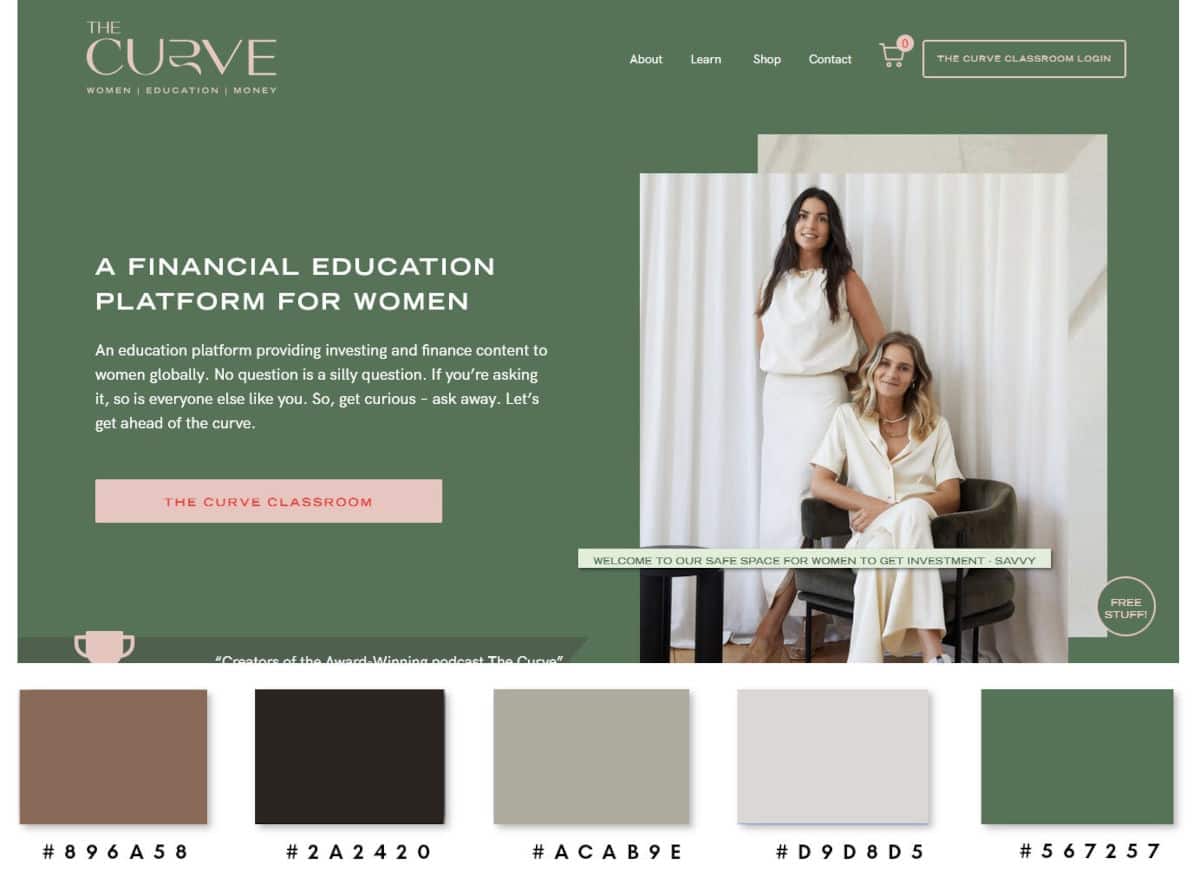
- Soft Neutrals & Cloud Dancer Whites: Pantone’s 2026 Color of the Year is Cloud Dancer—a calm, airy off-white evoking clarity. Paired with warm grays and beiges for reduced eye strain on OLED screens.
- Cinematic Gradients & Mesh Layers: Soft-glow transitions in earthy tones (teals, mauves) or subtle neons for depth without overwhelming.
- Earthy Grounding Tones: Mocha browns, terracottas, and muted greens for inviting, human-feeling sites amid AI saturation.
- Controlled Bold Accents: Neon shocks or vibrant oranges as selective pops, not dominants.
- Dark Mode Evolution: Dynamic theming with tinted “frosted glass” effects and luxurious black-gold contrasts.
- Nature-Inspired & Mermaidcore: Pearlescent teals, sunwashed pastels, and bioluminescent vibes blending organic and futuristic.
These trends prioritize performance, inclusivity, and emotional connection—perfect for USA audiences seeking trustworthy, calming digital spaces.
Top 10 Free Online Color Palette Generators (No Signup Required)
Here are the best tools for 2026—fully free, browser-based, and privacy-focused. We’ve prioritized those with instant access, export options (HEX, RGB, CSS), and trend alignment.
1. WhyPayOnline.site Color Palette Generator 2026
This site’s own tool shines for quick, client-side generation. Upload an image or input colors manually to create harmonious palettes with gradients and accessibility previews. Unlimited use, mobile-friendly, and adds new features monthly based on user votes.
Pros: 100% private (no server storage), fast, integrates with your other utilities. Cons: Focused on essentials—great for starters.
Ideal for 2026’s neutral trends: Generate soft Cloud Dancer-based schemes instantly.
2. Coolors.co
The fastest generator—hit spacebar for endless palettes. Explore millions, adjust hues, check contrasts, and export.
Pros: Image upload extraction, collage previews, Tailwind support. Cons: Basic free tier sufficient for most.
Trend tip: Lock earthy tones and generate cinematic gradients.
3. Adobe Color
Robust wheel-based creator with community themes. Search “2026 trends” or extract from images.
Pros: Accessibility checker, Behance integration. Cons: Adobe branding, but fully usable without login.
Perfect for triadic schemes with bold accents.
4. Paletton.com
Classical theory tool with RYB wheel previews in real designs.
Pros: Vision simulation (color blindness), multiple modes. Cons: Slightly dated UI.
Great for monochromatic neutrals.
5. Canva Color Palette Generator
Upload any image for instant extraction—up to 5+ colors.
Pros: Super simple, integrates with Canva designs. Cons: Limited manual tweaks.
Excellent for nature-inspired uploads.
6. Colormind.io
AI-powered deep learning for cohesive schemes, trained on art/movies.
Pros: Unique, thematic generations (e.g., lock one color). Cons: Randomness can vary.
Try for futuristic AI vibes.
7. ColorSpace
Gradient-focused with harmony generators.
Pros: Smooth transitions, social sharing. Cons: Gradient-heavy.
Aligns perfectly with 2026 cinematic trends.
8. XenPalette
Professional with AI analysis, WCAG checker, color blindness simulator.
Pros: Exports to CSS/Tailwind/ASE, GDPR compliant. Cons: Newer, fewer presets.
Top for accessibility-focused USA designs.
9. PaletteMaker
Preview palettes on real UI/UX mockups (logos, websites).
Pros: Contextual testing. Cons: Pre-made templates.
Visualize 2026 dark modes instantly.
10. Huemint
AI-driven for unique, non-obvious combinations.
Pros: Modern, unexpected results. Cons: Less control.
Fun for bold accent experimentation.
Step-by-Step: Creating Your 2026-Ready Palette
- Define Your Brand Mood: Calm (neutrals)? Energetic (accents)?
- Start with Inspiration: Upload a photo reflecting trends (e.g., nature for earthy).
- Generate & Refine: Use tools to create 5-7 colors.
- Test Accessibility: Ensure text contrasts.
- Apply to Site: Export HEX/CSS, test on mockups.
- Iterate: Preview light/dark modes.
Pro Tip: Limit to 4-6 colors total for cohesion.
Conclusion: Elevate Your Website with Confident Colors
In 2026, stunning color palettes are about intentionality—blending calming neutrals with thoughtful accents to create inviting, high-performing sites. With these free tools and USA trends, you can achieve professional results without spending a dime. Start experimenting today, and watch your website transform into a visually captivating experience that resonates with visitors.
Bookmark your favorite generators, share your palettes, and stay ahead in the evolving world of web design!